In real seller workflows, AI works best as a review and analysis helper — not as the system running the process.
Seller 365 tools are built to run the actual workflows: generating scan results, calculating profitability, managing pricing, tracking inventory, and producing structured reports. That’s your operational base.
AI is useful after that step — when you want faster interpretation of the outputs. It can summarize large exports, compare segments, highlight outliers, and help you prioritize what to check next.
A practical way to combine both looks like this:
-
Run your scans, reports, and workflows in Seller 365
-
Use AI to review and analyze the outputs
-
Confirm decisions against the tool data
-
Execute actions back inside Seller 365
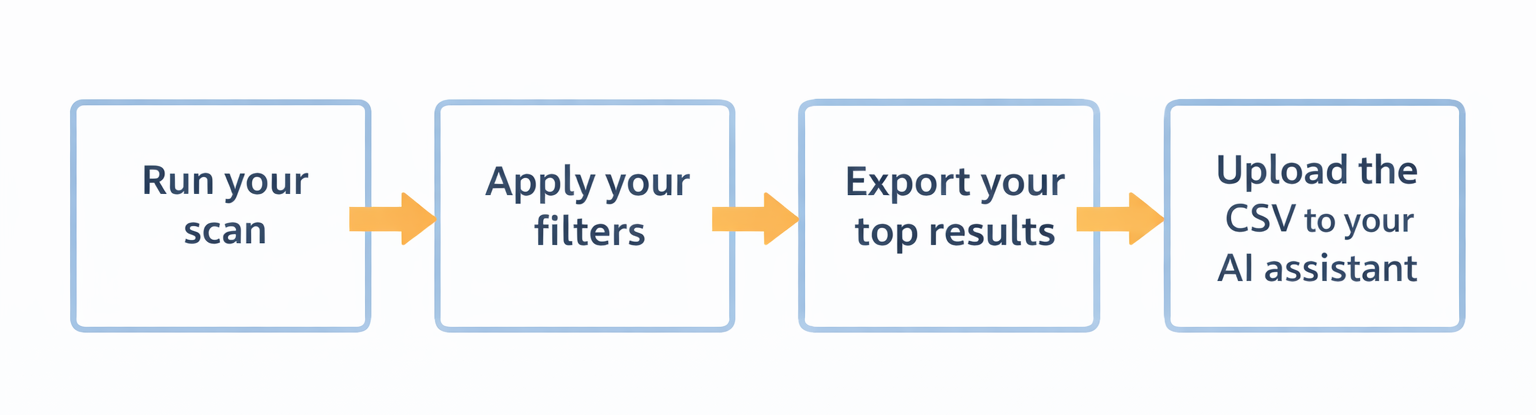
Seller 365’s Tactical Arbitrage is designed to surface sourcing opportunities at scale. After you run a scan and apply your filters, the next step is reviewing and shortlisting.
This is where an AI assistant like
ChatGPT,
Claude, or
Gemini, etc., can add a useful second pass.

Within your AI assistant, you can then ask to:
-
Group products by margin or ROI bands
-
Highlight unusually strong spreads
-
Flag entries that look different from the rest
-
Generate a short “review first” list with reasons
Using AI, you’re not changing your sourcing logic, just speeding up your review layer. Scan settings, fee math, and restriction checks remain inside Tactical Arbitrage.
SmartRepricer already executes your pricing strategies automatically based on the rules you set. AI is helpful when you want to review performance patterns before adjusting a strategy.
For example, export a SKU performance report and upload it to your AI assistant. Ask it to summarize:
-
Which SKUs cluster as slow movers
-
Which have strong Buy Box share but tight margins
-
Which segments behave differently from your average
Instead of reading raw rows, you get a pattern summary, then you decide whether to adjust your repricing strategy inside SmartRepricer.
InventoryLab provides structured inventory and accounting reports. When you want to compare reports or double-check totals, AI tools like ChatGPT or Claude can help you review exports faster.
A practical example:
Export your InventoryLab report and the matching Seller Central report. Upload both and ask the AI to compare totals, categories, or SKU counts and point out where differences appear.
That gives you a focused checklist of what to verify instead of manually scanning every column and you confirm directly inside InventoryLab.
FeedbackWhiz runs compliant buyer email and review request campaigns. AI can help you think through timing strategy based on how customers actually experience your products.
You can describe your product and usage pattern to an AI assistant and ask for timing guidance — for example, whether reviews should be requested sooner for simple products or later for products that need time to show results.
AI can help you reason through:
-
Fast-use vs slow-benefit products
-
Timing windows by category
-
When customers are most likely to feel satisfied
You then apply that logic inside your FeedbackWhiz campaign settings. AI helps shape the strategy — FeedbackWhiz handles compliant delivery.