
How to Sell on Shopify in 2026: A Beginner’s Guide
In this guide, you’ll learn how to sell on Shopify in 2026, including how to:
-
Choose the right Shopify plan
-
Build and organize your product catalog
-
Set up payments, shipping, policies, and fulfillment
-
Test and launch your store
-
Bring shoppers to your website
-
Prepare your Shopify catalog for multichannel expansion
Is Shopify Right for Your Business?
Shopify is an ecommerce platform that lets you build and manage your own online store. Unlike Amazon, Walmart Marketplace, eBay, or TikTok Shop, your Shopify store belongs to your brand rather than sitting inside a larger marketplace.
That means you control more of the customer experience. You can choose your domain, theme, navigation, product collections, promotions, and brand voice. You can also build direct relationships with customers who choose to hear from you again.
The tradeoff is traffic. A marketplace already has people searching for products. A new Shopify store usually starts without an audience, so you need a practical plan for bringing shoppers to it.
Shopify fit, in plain English
Shopify works best when you’re ready to own three parts of the sale
You don’t need a perfect brand or a huge catalog. You do need a clear offer, a way to reach shoppers, and a reliable plan for what happens after they buy.
The offer
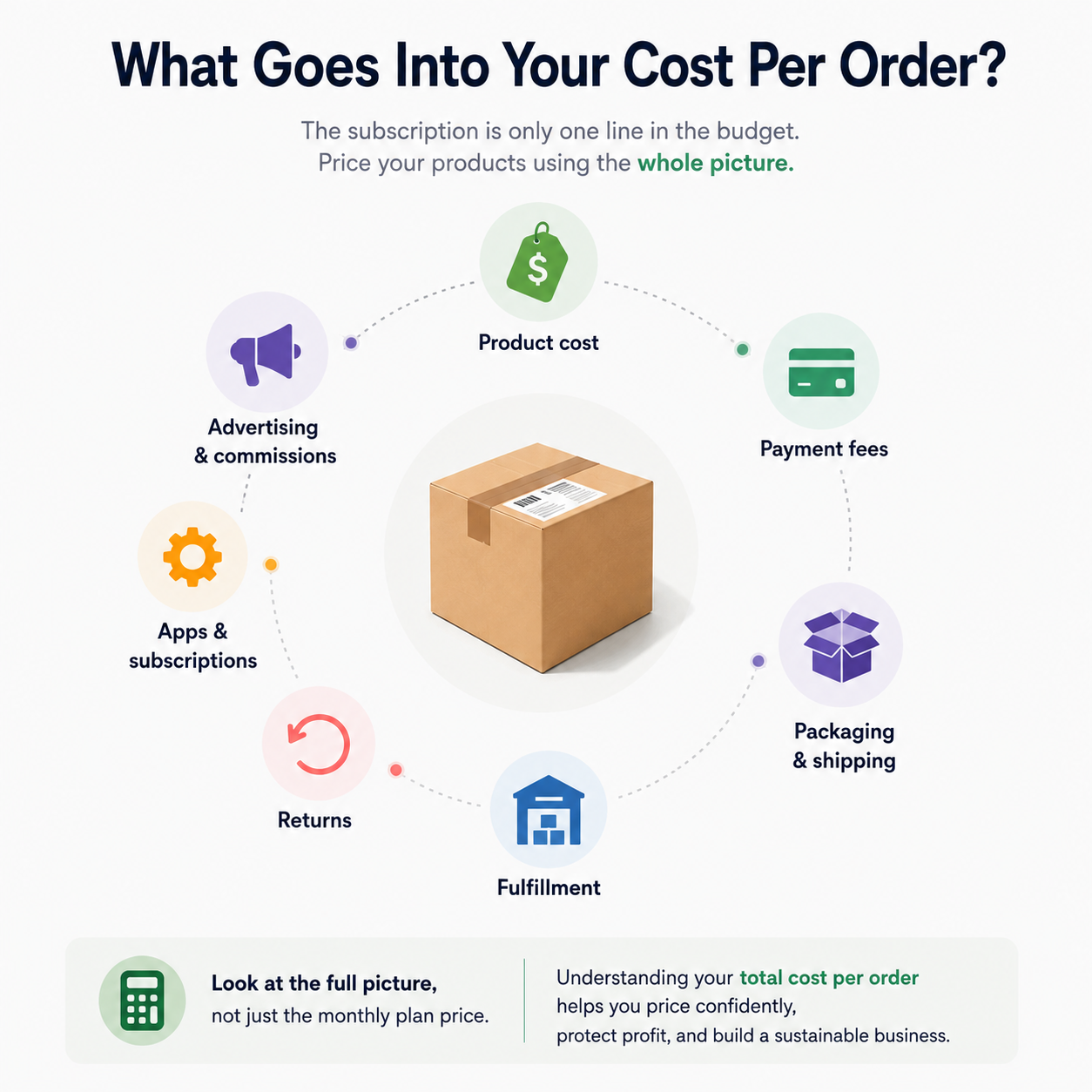
You know what you’re selling, who it’s for, and whether the price leaves room for product costs, payment fees, shipping, returns, and customer acquisition.
The audience
You have a realistic way to bring qualified shoppers to the store through email, search, social content, creators, advertising, or an audience you already serve.
The operation
You know how inventory, orders, fulfillment, customer questions, cancellations, and returns will be handled when real orders begin arriving.
All three are clear? Shopify is a strong next step. Start with a focused product selection and test the full customer journey. If one area is still fuzzy, work out that plan before sending shoppers to the store.
What it Costs to Sell on Shopify in 2026
As of August 2026, Shopify lists the following US prices when paid yearly. Prices, payment rates, and promotions can change, so check Shopify’s current pricing before choosing a plan.
2026 Shopify plan comparison
Shopify plans at a glance
Compare the annual-billing price, starting online card rate, and the type of seller each plan is designed to support.
$29/month
- Online card rate starts at
- 2.9% + 30¢
- Best starting point for
- Solo sellers and new stores
$79/month
- Online card rate starts at
- 2.7% + 30¢
- Best starting point for
- Small teams that need staff accounts
$299/month
- Online card rate starts at
- 2.5% + 30¢
- Best starting point for
- Larger or international operations
From $2,300/month
- Online card rate starts at
- 2.25% + 30¢
- Best starting point for
- Complex and high-volume businesses
These rates apply to Shopify Payments and can vary by payment method, card type, country, and plan.
-
Quick Tip: Start with the lowest plan that supports the way you operate today. You can always upgrade as your team, order volume, or reporting needs grow. A higher-priced plan will not solve problems with product-market fit, pricing, or traffic.
How To Sell On Shopify Step by Step
Shopify’s store setup checklist covers the platform’s current setup tasks. The steps below put those tasks into a practical selling order.
1. Decide what you’re selling and who it’s for
-
What problem, need, or interest does the product serve?
-
Who is most likely to buy it?
-
What makes your offer useful or different?
-
Can you sell it at a price that covers your real costs?
2. Create your store and choose a plan
3. Build a clean product catalog
-
A clear product title and useful description
-
Accurate pricing
-
High-quality images or video
-
Variants such as size, color, or style
-
Inventory quantities
-
A barcode or product identifier, when applicable
-
A unique SKU for each sellable variation
-
Country or region of origin and a Harmonized System (HS) code if you plan to sell internationally
-
Pro Tip: Give each sellable variation its own stable SKU, and don’t recycle old SKUs for new products. That small habit makes inventory and multichannel mapping far easier later.
4. Design a store that makes buying easy
5. Set up payments, taxes, and store policies
6. Choose how orders will be fulfilled
-
Processing time
-
Shipping regions and rates
-
Packaging and tracking process
-
Returns and refunds
-
Cancellation process
Selling internationally? Decide how you’ll handle duties, taxes, customs requirements, delivery expectations, and cross-border returns. Accurate product details such as HS codes and country of origin can help support these calculations. Start with one market, test the full experience, and expand from there.
7. Test the full customer journey
Final pre-launch check
Is your Shopify store ready to launch?
Complete all eight checks before removing your storefront password and sending shoppers to the site.
Launch readiness
0 of 8 complete
Your next move
Nothing checked yet. Begin with your product pages, then work down the list.
Your progress is saved on this browser.
8. Launch and bring shoppers to the store
-
Email or SMS to an existing audience
-
Search-friendly product and educational content
-
Organic social content
-
Creator or affiliate partnerships
-
Paid search or social advertising
-
In-person events and repeat-customer outreach
Avoid common Shopify setup mistakes
Expecting Shopify to bring the customers
Installing too many apps too early
Prioritizing design over clarity
Using inconsistent SKUs and variations
Hiding shipping costs or policies
Skipping a real test order
Expanding before the source catalog is clean
Prepare Shopify for multichannel growth with UniCon
UniCon by Threecolts supports Shopify as a source marketplace. You can import product information from Shopify, map it to the requirements of supported target marketplaces, publish listings, and keep supported product, inventory, pricing, and order workflows connected.
This means you don’t have to rebuild the same catalog from scratch each time you add a channel. UniCon can help prepare Shopify products for supported destinations including eBay, TikTok Shop, SHEIN, Temu, and Target Plus.
Before connecting Shopify, make sure the catalog behind the storefront is ready.

Is your Shopify catalog ready for UniCon?
Complete all six checks before starting your multichannel pilot.
Catalog readiness
0 of 6 complete
Your next move
Nothing checked yet. Begin by making sure every sellable variation has a stable SKU.
Your progress is saved on this browser.
Start with a controlled multichannel test
-
Connect Shopify as your source channel
-
Import and review your Shopify catalog.
-
Publish and inspect the resulting listings.
-
Choose a small group of pilot products.
-
Map categories and product attributes to the target marketplace.
-
Test inventory, pricing, orders, fulfillment, tracking, cancellations, and returns.
You can learn the full connection and mapping workflow in the Getting Started with UniCon course.
Selling on Shopify Frequently Asked Questions
Is Shopify a marketplace?
How much does it cost to start selling on Shopify?
Do I need a business license to sell on Shopify?
Can I sell on Shopify without holding inventory?
How long does it take to make a first sale?
Does Shopify bring customers to my store, or do I need a traffic plan?
Key Takeaways
-
Start with a clear customer and product offer.
-
Build clean, structured product data and stable SKUs so products can be understood across your storefront, AI discovery experiences, and future sales channels.
-
Test payments, shipping, inventory, fulfillment, and refunds before launch.
-
Create a realistic plan for attracting shoppers.
-
If Shopify will support a broader multichannel business, prepare it as a reliable source catalog now.