Reverse Product Search in Tactical Arbitrage

May 28 / Layla Gomes
Loading the Elevenlabs Text to Speech AudioNative Player...
Tired of manually searching store after store to find profitable products? Reverse Product Search in Tactical Arbitrage flips the workflow. You start with the product, and the tool finds the source. It's the difference between scrolling through aisles and walking in with a shopping list. 
In this guide, you’ll learn how Reverse Product Search works, when to use it, and how to leverage advanced sourcing strategies like storefront scans, Best Seller analysis, and keyword-based searches to find profitable opportunities faster.

What Reverse Product Search does

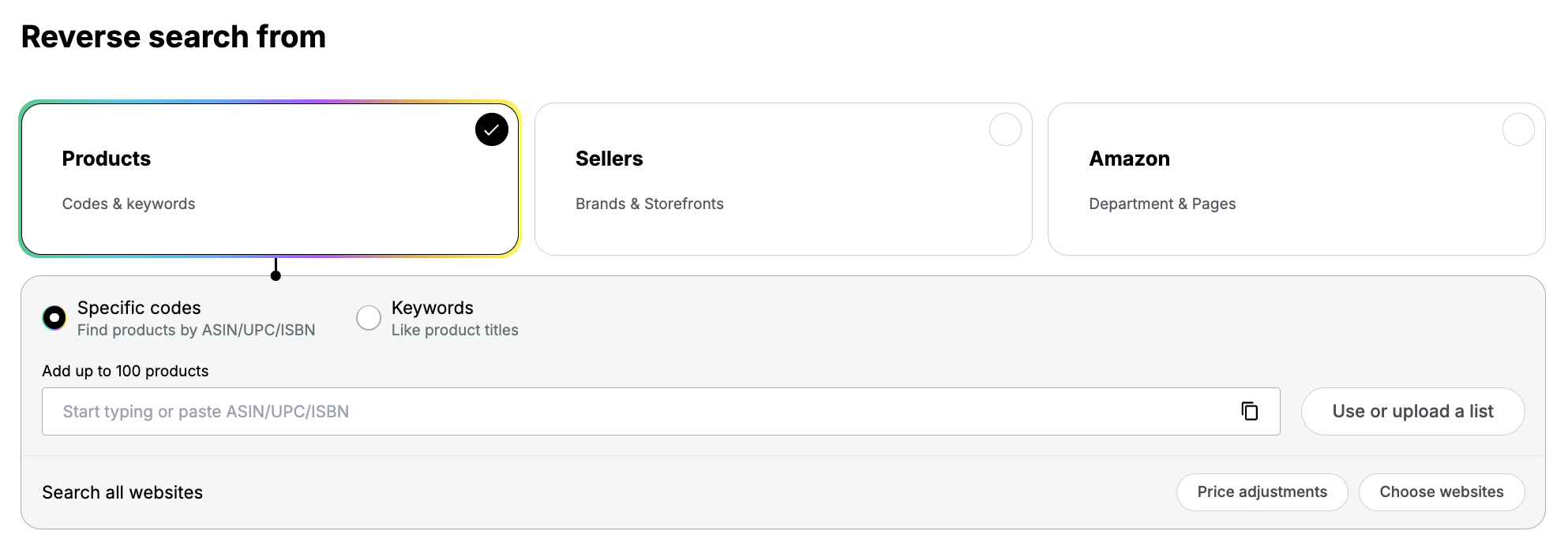
Reverse Product Search is a sourcing workflow inside Tactical Arbitrage that helps sellers start with a product rather than a retail store. Instead of selecting a website and category first, you input product identifiers such as ASINs, UPCs, keywords, or brand names.
Tactical Arbitrage then scans its supported retail domains to locate potential sourcing matches for those products.
This workflow helps sellers quickly identify profitable resale opportunities without manually checking dozens of retail websites.

Why Reverse Product Search matters

Starting with the product instead of the retailer can significantly speed up your sourcing workflow.
Instead of selecting a website and category first, you enter product identifiers. Traditional online arbitrage sourcing typically begins with a retailer and involves scanning large product catalogs to uncover potential opportunities. 
Reverse Product Search streamlines this process by focusing on products that already have demand on Amazon. By working from proven products first, sellers can save time, reduce manual research, and concentrate on sourcing opportunities with greater sales potential.
Reverse Product Search helps you:
  • Discover sourcing opportunities across multiple retail domains.
  • Identify profitable flips more efficiently.
  • Analyze products already performing well on Amazon.
  • Reduce manual sourcing research.

Key ways to use Reverse Product Search

Common mistakes to avoid

Keep an eye out for these common mistakes:
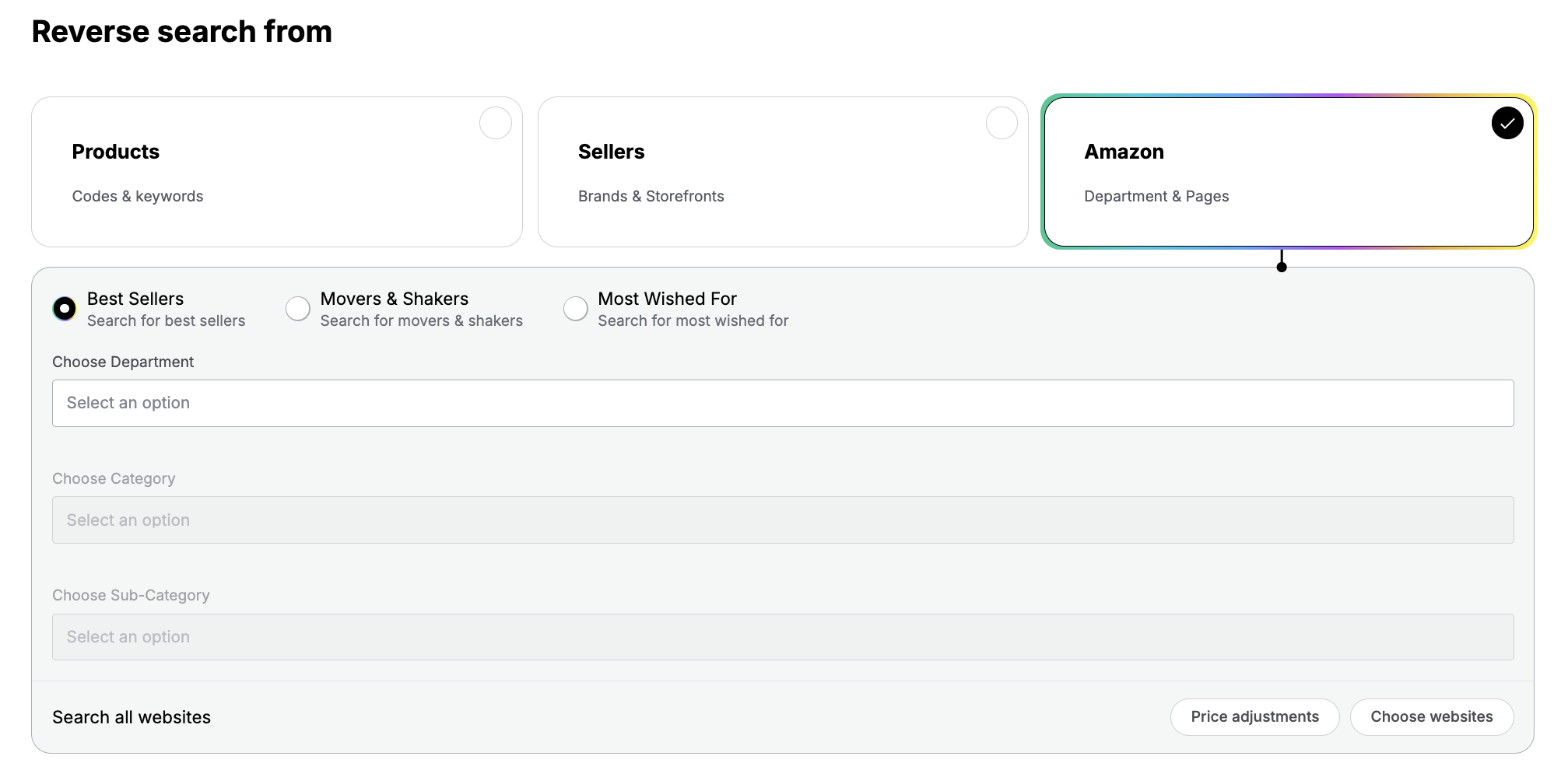
  • Focusing only on Best Sellers.
  • Not validating retail matches before purchasing.
  • Overlooking niche brands and keywords.

Using the Advanced View

The Reverse Search Advanced View (TA Classic) offers additional filtering and customization features that help refine search results and improve sourcing efficiency. It allows you to:
  • Adjust search parameters.
  • Reduce irrelevant matches.
  • Focus on specific sourcing opportunities.
  • Improve scan efficiency when working with large product lists.

Key Takeaways

  • Reverse Product Search starts with the product instead of the retailer.
  • You can search using ASINs, UPCs, Seller IDs, keywords, or brand names.
  • Tactical Arbitrage scans supported retail domains in reverse sourcing opportunities.
  • Advanced View settings help refine results and improve scan quality.

Final tip

Start with a focused list of ASINs, one brand, or a single competitor storefront before scaling up your searches. Smaller scans are easier to review and help you learn which sourcing strategies produce the best results.

Explore Reverse Product Search in Tactical Arbitrage to streamline your sourcing workflow and uncover profitable retail matches faster.
Ready to try it? Your trial is free for 14 days, and you can pause anytime.

Frequently asked questions

How is Reverse Product Search different from traditional sourcing?

Traditional sourcing (Product Search) begins with a retailer and scans product catalogs. Reverse Product Search starts with products that already exist on Amazon, helping sellers identify sourcing opportunities more efficiently.

Can I use Reverse Product Search to analyze competitors?

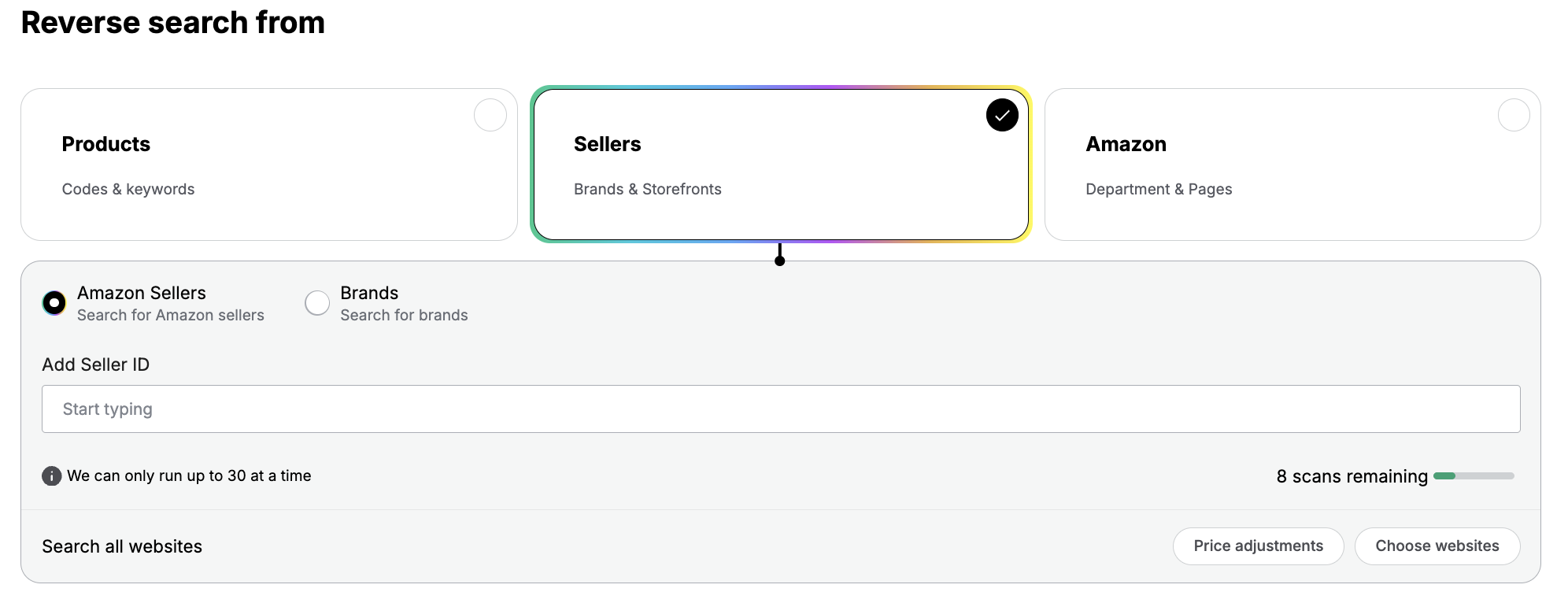
Yes. You can scan Amazon seller storefronts to identify products competitors are selling and look for potential sourcing matches on supported retail sites.

How can I get the best results from Reverse Product Search?

Start with a small list of ASINs, a single brand, or one competitor storefront. Review the results carefully and refine your searches as you learn which sourcing strategies work best for your business.