
Dopamine Detox Weekend for Sellers
Set up your store before you log off.
Key Takeaways
You know the loop. Check sales. Refresh pricing. Peek at feedback. Check shipments. Refresh again. Suddenly your “quick store check” has eaten half your Saturday, and your coffee is cold enough to file a complaint.
A dopamine detox weekend is a short break from the constant hits of checking, refreshing, scrolling, and reacting. For sellers, that does not mean pretending your business does not exist. It means setting up the right alerts, rules, and workflows before you log off, so every tiny business thought does not get to interrupt your weekend.
A dopamine detox weekend is a short break from the constant hits of checking, refreshing, scrolling, and reacting. For sellers, that does not mean pretending your business does not exist. It means setting up the right alerts, rules, and workflows before you log off, so every tiny business thought does not get to interrupt your weekend.
This guide helps you set up your store before you log off, using a simple weekend checklist and Seller 365 tools that keep key parts of your business moving while you step away.
By the end, you’ll know what to check before the weekend, what to set up ahead of time, what deserves an alert, and what can safely wait until Monday. The goal is not to ignore your store. The goal is to stop treating every tiny business thought like an emergency.
Your Store Is Still Running When You're Not
Your Amazon store does not pause just because you do.
Orders can come in. Prices can shift. Feedback can land. Shipments can update. Inventory issues can pop up at the exact moment you finally decide to touch grass.
That is why sellers fall into the weekend refresh loop. It feels responsible, but constant checking is not the same as control.
A better weekend routine gives you a plan. You decide what needs attention now, what needs an alert, and what can wait until Monday.
"Constant checking is not the same as control. A better setup helps you know what matters before you log off."
This is where Seller 365 Reseller can help. Instead of checking disconnected parts of your business one by one, you can use tools like SmartRepricer, FeedbackWhiz, and InventoryLab to build a weekend-ready workflow: pricing has guardrails, alerts watch for urgent changes, buyer emails keep moving, and inventory issues have a clear place to land.
Think of Seller 365 Reseller as your weekend operating system. You are not trying to automate every decision. You are setting up the parts of your business that should keep working while you rest, and flagging the few things that actually deserve your attention.
Build A Weekend Safety Net With The Right Alerts
Before you log off, decide what is important enough to interrupt your weekend.
FeedbackWhiz Alerts can help you monitor key changes without forcing you to manually refresh your store every hour. Instead of checking everything, you can choose which events deserve your attention and which ones can wait.
Must Know Now
Can Review Later
Monday List
Use FeedbackWhiz Alerts for issues that may need fast action while you are logged off.
These are the alerts worth interrupting your weekend for:
- Negative feedback that may need a quick customer-service response
- Suppressed listings that could stop a product from selling
- Major listing changes that affect product details, images, or content
- Account-impacting issues that need attention before they snowball
- Unusual Buy Box or pricing changes on priority SKUs, especially items you are actively repricing with SmartRepricer
Some updates matter, but they do not need to hijack your weekend.
- Routine listing updates that do not affect active sales
- Minor catalog changes that are informational, not urgent
- Small pricing shifts that are already covered by your SmartRepricer rules
- Non-urgent performance changes you can review in your normal reporting rhythm
Use this for deeper work that deserves focus, not weekend panic.
Park these tasks for your next working block:
- Trend review in your reporting tools
- Listing cleanup for products that need better content or organization
- Inventory planning using InventoryLab
- Repricing strategy changes in SmartRepricer
- Feedback or email campaign review in FeedbackWhiz Emails
- Sourcing research for your next buying cycle
Lock-in Pricing Guardrails Before You Log Off
Next, check your repricing rules in SmartRepricer.
A weekend away is not the time to discover your minimum price is too low, your rule is more aggressive than you meant, or your best SKUs are sitting in the wrong strategy.
SmartRepricer helps your pricing keep working while you are not watching every movement in real time. Before you step away, review your active rules and make sure they still match your goals. Check:
- Minimum and maximum prices
- Active repricing rules
- High-value or fast-moving SKUs
- Any aggressive pricing strategies
- Items you do not want repriced below a certain margin
Protect Margin
Best for:
- Higher-value SKUs
- Items with limited quantity
- Products with steady demand
- Inventory you do not want to discount too aggressively
Before you log off:
- Confirm your minimum price protects your profit.
- Review your SmartRepricer rule.
- Make sure the SKU is not assigned to an aggressive rule.
- Check that your max price still makes sense.
Seller thought:
“I’m willing to wait for the right buyer.”
Stay Competitive
Best for:
- Fast-moving SKUs
- Competitive listings
- Products with multiple active sellers
-
Items where price changes often
Before you log off:
- Confirm your SmartRepricer rule is active.
- Check your min and max price.
- Review priority SKUs that are actively competing.
- Make sure the rule matches your current Buy Box strategy.
Seller thought:
“I want my prices to keep working while I’m away.”
Clear Inventory
Best for:
- Slow movers
- Older inventory
- Overstocked SKUs
- Products you are ready to price more aggressively
Before you log off:
- Check that your minimum price is still safe.
- Assign the right SmartRepricer rule.
- Review whether the item belongs in a cleanup strategy.
- Make sure you are not clearing inventory at a loss unless that is intentional.
Seller thought:
“I want this inventory moving, but not recklessly.”
Keep Feedback Emails Moving While You Rest
Check Shipments And Urgent Inventory Issues
Before you log off, check the areas most likely to become Monday problems. InventoryLab can help you review shipment and inventory workflows before the weekend, so you are not mentally carrying a mystery list of “I should probably check that” tasks through your time off.
You are not trying to solve every inventory issue before Saturday. You are sorting them.
Handle Now
Watch If Alerted
Review Monday
Use this for work that could create a real issue if ignored. Examples:
- Suppressed listing
- Broken pricing rule
- Negative feedback
- Shipment problem
- Priority stockout
Use this for areas where you do not need to check manually unless something changes. Examples:
- Buy Box movement
- Listing changes
- Pricing shifts
- Feedback activity
Use this for work that matters, but does not need your weekend. Examples:
- Inventory cleanup
- Reports
- Sourcing research
- Listing improvements
- Long-term pricing strategy
- Course or workflow planning
Run The 30-minute Weekend Setup Checklist
Weekend setup checklist
Use this quick review before a screen-free or low-screen weekend. Check the essentials, park the Monday tasks, and log off like someone who planned ahead.
Alerts
Let FeedbackWhiz Alerts watch for the updates that are worth interrupting your weekend.
Pricing
Use SmartRepricer guardrails so pricing can keep working without weekend babysitting.
Feedback
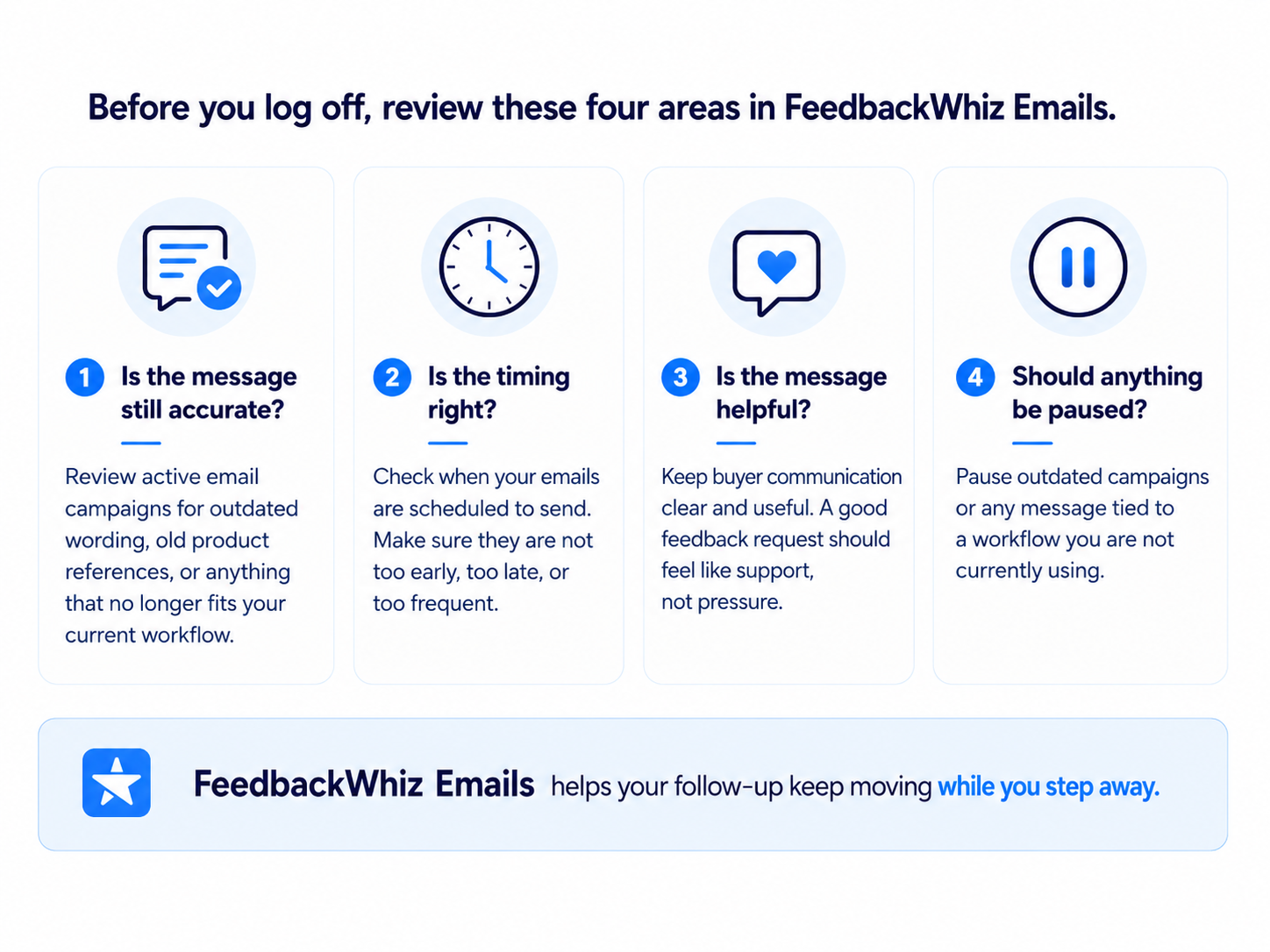
Keep buyer follow-up moving with FeedbackWhiz Emails while you step away.
Shipments
Use InventoryLab to check anything that could become a Monday problem.
Inventory
Sort urgent issues from routine cleanup before you close the laptop.
Monday list
Give future-you a clean handoff instead of a foggy pile of mental sticky notes.
Tip: Copy your Monday task into your planner, notes app, or task manager before you log off.
Start with your weekend safety net
Check alerts and repricing first. Those two areas help you catch what matters without refreshing your store all weekend.
Decide What Can Wait Until Monday
This is the most important part of the whole process. A weekend setup routine only works if you are honest about what actually needs action. Some tasks are urgent. Some are important but not immediate. Some are just anxiety wearing a business hat.
Before you log off, sort your open tasks into three buckets.
Handle Now
Watch If Alerted
Wait Until Monday
Take care of anything that may create a real problem if ignored, such as:
- A shipment issue waiting on your action
- A suppressed listing
- A pricing mistake
- Negative feedback
- A stockout on a priority item
- A listing or inventory issue tied to current sales
- Buy Box movement
- Pricing shifts
- Listing updates
- Feedback activity
- Priority SKU changes
Move non-urgent work out of your head and onto a Monday list. Good Monday tasks include:
- Routine cleanup
- Slow-moving inventory review
- Sourcing research
- Report review
- Long-term repricing changes
- Listing improvements that are not urgent
Final Tip
Your business should support your life, not interrupt every quiet moment of it. A dopamine detox weekend does not mean ignoring your store. It means taking 30 minutes to check the right things before you log off: alerts, repricing rules, feedback emails, shipments, and urgent inventory issues.
With Seller 365 Reseller tools like SmartRepricer, FeedbackWhiz, and InventoryLab, you can keep the important parts of your business watched, organized, and moving while the rest waits until Monday.
Set the alerts. Check the rules. Park the Monday tasks. Then log off like someone who planned ahead.
Tiny blessing for Monday-you.
FAQs
Do I need to fully log off from my Amazon business?
What should I check before taking a weekend off?
Which Seller 365 tools help with a weekend setup?
What can usually wait until Monday?
How long should this weekend setup take?
Related Guides